Getting started
Symbols and searching
How symbols are written, how search works and what the default source means.
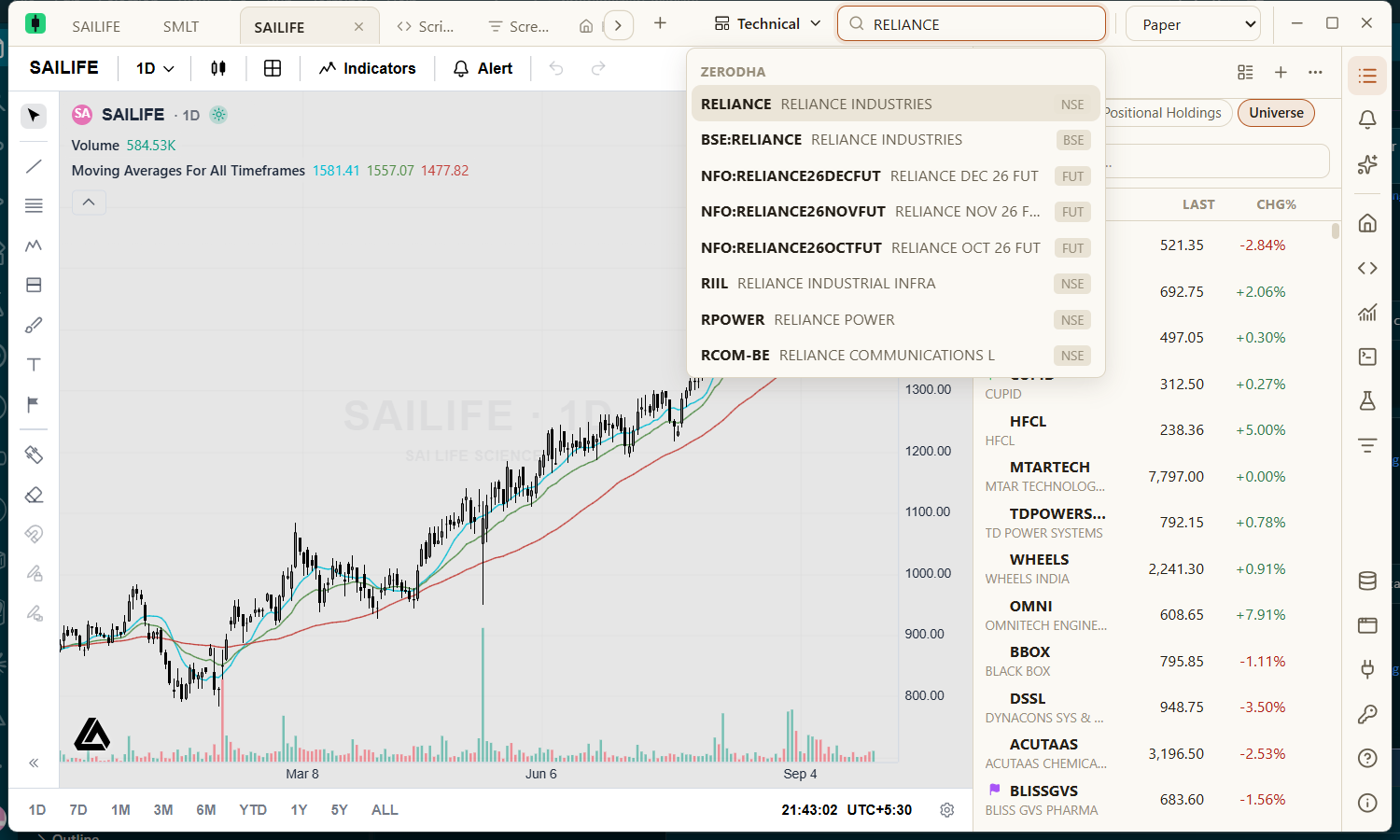
Press Ctrl+K or click the search box, type part of a ticker or company name, and press Enter on the highlighted result.
How a symbol is written
Every symbol names its data source and ticker, separated by a colon: source:TICKER. Broker symbols also name an exchange. The app shows the short form — RELIANCE rather than zerodha:NSE:RELIANCE — and hides NSE because it is the default exchange. Other exchanges stay visible, because BSE:RELIANCE is a different instrument.
| Source | Examples |
|---|---|
| Zerodha | zerodha:NSE:RELIANCE, zerodha:NSE:NIFTY_50, zerodha:BSE:TCS |
| Imported data | csv:MY_DATA |
Searching
- Results come from every data source that is switched on, grouped by source.
- A ticker typed without a source uses the default provider, Zerodha, so typing
RELIANCEopens the NSE listing. - Options contracts are not listed (there are too many to search usefully). Futures are.