Data and settings
Data providers
Choose where prices come from and set up broker accounts.
Open Data providers from the plug icon at the bottom of the right rail.
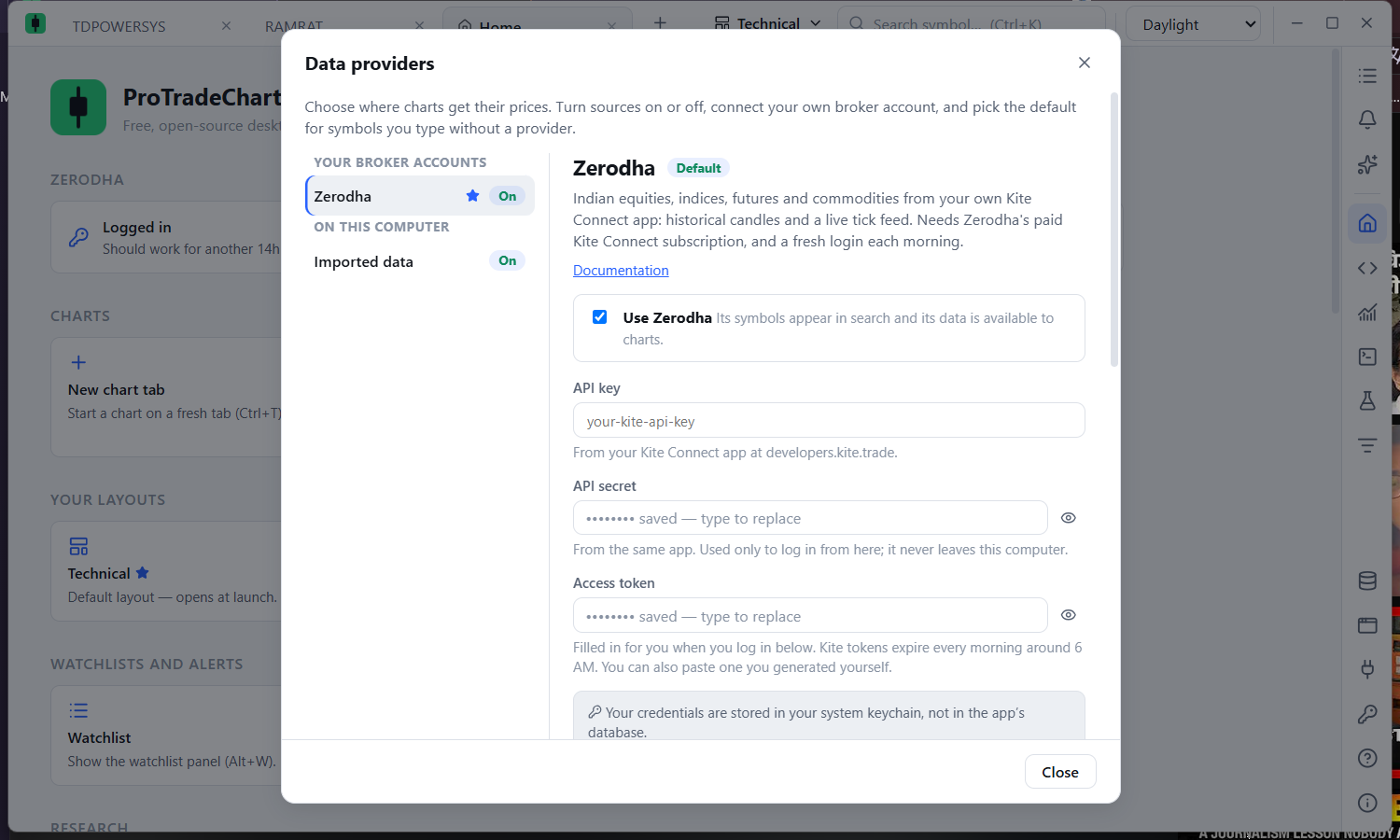
| Source | Coverage |
|---|---|
| Zerodha (your account) | NSE, BSE, NFO and MCX equities, indices, futures and commodities; history and live feed. Needs a paid Kite Connect subscription. |
| Imported data | Your own CSV files. |
For each source you can
- Switch it on or off. Imported data starts on; Zerodha starts off until configured.
- Enter credentials and press Save. Secret values go to your operating system's credential store and are never shown again.
- Press Test connection to confirm the credentials work.
- Press Make default to choose which source a ticker typed without a source uses.
- See the state of its Instrument list, used for symbol search and refreshed weekly.
Next: Connecting Zerodha, Keep the market loaded and Data usage and storage.